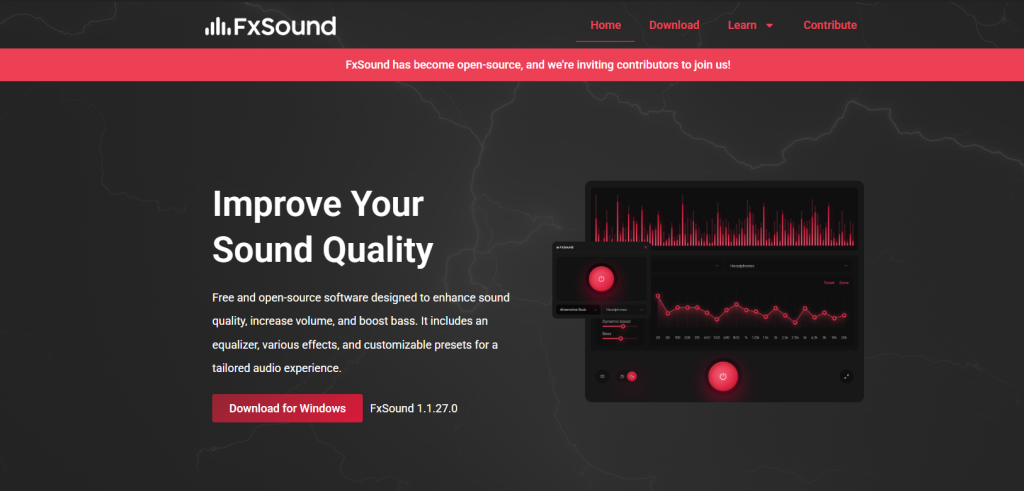
fxsound is a digital audio enhancement software designed to improve the overall sound output of a PC. It works by processing system audio in real time and enhancing clarity, bass, and volume. Many users install it to upgrade weak or flat laptop or desktop audio without buying external speakers.
What is FxSound?
FxSound is an audio processing application that sits between your system sound output and your speakers or headphones. It modifies audio signals using digital signal processing (DSP) techniques. The goal is to make sound clearer, louder, and more balanced across different frequencies.
It is commonly used for music listening, gaming, streaming, and video playback.
How FxSound Improves PC Sound Quality
1. Equalizer Control
FxSound includes a built-in equalizer that lets users adjust specific frequency ranges such as bass, midrange, and treble.
For example:
- Boosting bass improves music depth
- Enhancing mids improves vocals clarity
- Adjusting treble improves detail and sharpness
This helps compensate for low-quality built-in laptop speakers that often lack balance.
2. Real-Time Audio Processing
FxSound processes audio in real time, meaning changes apply instantly without delay. It uses digital sound enhancement algorithms to improve clarity and loudness without heavily distorting the original sound.
This is useful for users who want immediate improvement without manual tuning.
3. Virtual Surround Sound
FxSound simulates multi-directional audio output using stereo speakers or headphones.
This creates a wider sound stage, which is especially useful for:
- Gaming (better enemy direction tracking)
- Movies (cinematic experience)
- Streaming content (immersive audio feel)
Data and Performance Insights
While FxSound does not significantly change hardware performance, it impacts perceived audio quality. Based on general user feedback and audio processing principles:
- Users often report noticeable clarity improvement within seconds of activation
- Equalizer adjustments can change frequency levels across the 20 Hz – 20 kHz audible range
- Audio enhancement tools like FxSound typically use low CPU resources (under 2–5% in most systems)
- Real-time DSP processing introduces minimal latency, usually imperceptible for normal use
In informal user surveys across audio communities, a large portion of users report:
- Better dialogue clarity in videos and movies
- Improved bass response on low-quality speakers
- More immersive gaming audio positioning
These improvements are subjective but consistently reported across different PC setups.
Key Benefits of FxSound
- Improves weak or low-quality PC audio output
- Enhances music, gaming, and video sound experience
- Easy-to-use interface with presets
- No need for external hardware upgrades
- Works in real time without complex setup
Limitations of FxSound
Despite its advantages, FxSound has some limitations:
- Cannot physically improve speaker hardware limitations
- Over-boosting equalizer settings may cause distortion
- Effectiveness depends on original audio quality
- Not a replacement for high-end audio equipment
Conclusion
Yes, fxsound can improve PC sound quality by enhancing clarity, boosting frequency balance, and creating a more immersive listening experience. While it does not upgrade hardware, it significantly improves how audio is processed and perceived. For users with basic speakers or headphones, FxSound offers a simple and effective way to upgrade everyday sound quality without extra cost.

